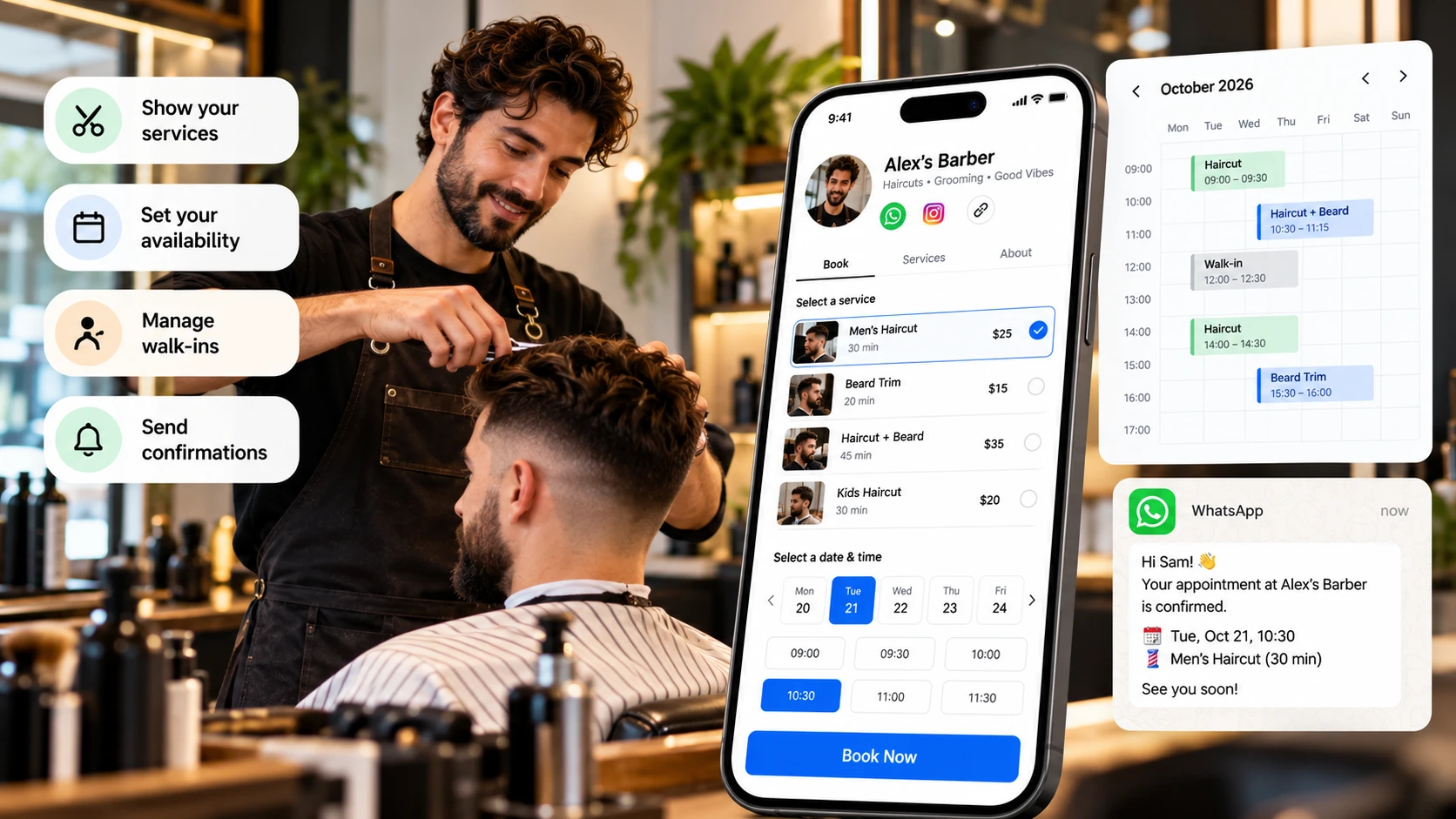
Online booking for barbers working alone needs to protect cutting time, preparation, and communication. There is no reception team available throughout the day. Clients should find basic information without requiring a chat for every question.
Start with how the chair actually operates. This guide covers services, timing, walk-ins, confirmation, and return visits. It does not assume automatic queues, payments, or synchronisation between tools.
Describe the service occupying the chair
Separate choices when work and duration differ. Haircuts, beard appointments, and combinations need understandable names. Avoid one vague option if it makes timing unpredictable.
State what is included and what needs agreement. An extra request during a service may affect the next appointment. Do not promise it always fits.
Show price or pricing criteria before booking. Explain assessment where a condition affects the service. Confirmation should not reveal a previously hidden mandatory cost.
If new clients follow a different first step, describe it. They need information you may take for granted with regular customers.
Plan the whole working block
Include delivery, cleaning, organisation, and preparation for the next person. Public service duration need not be the entire operational block. Protect the remainder in your actual schedule.
Use your own experience rather than one unusually quick appointment. Some services require more discussion or finishing. Choose a duration you can deliver reliably.
If the tool does not enforce breaks, block them manually. Do not assume it knows about another calendar. Maintain one dependable reference.
Include meals and business administration. A fully exposed diary can create repeated delays. Being bookable every minute is not the same as having capacity.
The following is an illustrative schedule, not a recommended duration for every barber. Replace each estimate with time measured in your own chair.
| Example service | Service time | Cleanup and preparation | Total working block |
|---|---|---|---|
| Haircut | 30 minutes | 10 minutes | 40 minutes |
| Haircut with additional finishing | 45 minutes | 10 minutes | 55 minutes |
| Haircut and beard appointment | 60 minutes | 15 minutes | 75 minutes |
A 09:00 haircut using the first row occupies the chair until 09:40, including preparation for the next client. Offering another appointment at 09:30 would allocate part of the same working block twice. Keep your meal break separate from these service blocks.
Decide how walk-ins fit
State whether you accept people without appointments and how they fit around reservations. Do not advertise immediate service while the chair may be occupied.
A visible gap can be preparation or a break. Check before accepting a walk-in. The next reservation should not depend on finishing unusually quickly.
If some time is intentionally unreserved, preserve that rule publicly. Do not sell the same time through two routes. Manual controls can work if kept consistent.
When a visit cannot fit, offer actual availability. Do not pressure an existing client to move to solve an unsuitable addition.
Explain location and arrival
Show the area and format before selection. Confirm address and arrival instructions through an appropriate process. A new client should not discover a different location afterwards.
Google's business-representation guidance emphasises accurate commercial information. Keep any local listing consistent with the actual operation.
Explain whether the time is a precise start and how lateness is handled. Use published, proportionate conditions rather than inventing a rule after an incident.
Give a monitored change route and realistic response hours. Your attention while cutting should be reflected in the communication promise.
Confirm without constant interruptions
Use a request-review routine and checked wording. Confirmation repeats service, date, time, and place. A pending approval needs a different label.
Saved messages can reduce typing, but check names and dates. Do not promise automated sending through Liik without verifying the required setup.
Record appointments agreed in chat. Update the record and communication when they change. Old messages should not compete with the current schedule.
Choose realistic response periods instead of checking every notification. Clear page information can remove avoidable questions.
If clients request appointments in chat, use a WhatsApp Business booking workflow to separate an enquiry, an offered time, and a confirmed visit. Check the calendar before confirming; a message on its own does not reserve the chair.
Make return booking voluntary
Ask whether the client wants to inspect another time or decide later. Both answers must be acceptable. Avoid presenting a universal return interval as an obligation.
Explain which service matches the next visit. A regular client may not recognise a renamed option. The invitation and page need to align.
Do not book automatically because someone usually returns. Agree the time and conditions. Past preferences do not replace acceptance.
Respect a decision not to receive follow-up. Appointment contact details should not silently become a repeated promotional sequence.
Review an overfull day
Imagine several successive cuts repeatedly delay the final client. The barber realises cleaning was omitted from the operational time. This is a fictional planning example.
Protect that period before opening additional slots. Test the public choice against actual capacity. A new platform is not necessarily needed to identify the missing time.
If additional services frequently overrun, clarify how to choose them. Improve the offer rather than expecting every cut to become faster.
Track lateness, refused walk-ins, and questions as well as bookings. Those observations reveal whether the day works.
For customers who prefer to start with a message, a WhatsApp link with a prefilled message can ask for the service and preferred day. Label it as an appointment request so customers do not mistake opening the chat for a confirmed booking.
Test and maintain the setup
Make a fictional new-client booking and inspect service, duration, confirmation, and changes. Repeat through the social-app browser and remove the test appropriately.
Update prices, hours, and closed days. A polished page with old information still creates unsuitable requests. The shared address needs current content.
Separate a booking rule from a personal exception
A regular client may ask for a time outside your public hours. You can assess that individually, but do not quietly make the exception your normal availability. The calendar should represent what you can routinely deliver.
If you accept the request, record it so the same time is not offered elsewhere. If you cannot accept, explain a real alternative. Avoid relying on a familiar relationship to repair an overfull day afterwards.
An additional service needs the same check. A client choosing a haircut may ask for beard work on arrival. Review time and the next commitment before agreeing. Saying that another appointment is needed can protect both services.
Build a short opening routine
At the start of the day, inspect the first appointment, service mix, and any accepted changes. Check that planned breaks remain protected. Identify information needed for new clients before the chair becomes busy.
Do not spend the routine recreating every chat. The appointment record should contain the operational summary. If it does not, improve the recording process rather than adding more reminders to search messages.
At the end, review tomorrow and unresolved requests. Record changes before leaving the system. A short consistent check helps prevent yesterday's offer being mistaken for today's availability.
Evaluate the chair time you can sustain
Review whether service durations, preparation, and gaps match the real day. If delays recur around one option, inspect its scope and estimate. Do not automatically shorten every other appointment to compensate.
Useful capacity includes the ability to deliver the next visit as promised. A slightly less crowded calendar may work better than a full page of appointments requiring repeated apologies. Assess the routine through actual punctuality and manageable work.
Final consistency check
An early arrival does not automatically create spare capacity. Keep the agreed sequence clear and assess any exception against the next commitment. If accepted, record it rather than relying on memory.
Liik provides profiles and online appointments. Explore profile examples and build a one-person routine. Clear services, complete working blocks, realistic walk-ins, and accurate confirmation help keep the day manageable.
Use Liik online booking to organise your profile and appointment entry point. Review the page as a client before sharing it.
Frequently Asked Questions
Should I open every hour?
No. Protect breaks, preparation, and administration. Offer only deliverable capacity.
Can walk-ins coexist with bookings?
Yes, with clear rules and no double allocation. Do not assume an automatic queue feature.
Should haircut and beard options be separate?
Separate them when duration or delivery changes the decision, and explain what each includes.
Does a calendar guarantee repeat customers?
No. It improves access, while need, experience, and client choice still matter.
Comments · 0
Start the conversation.
Leave a comment