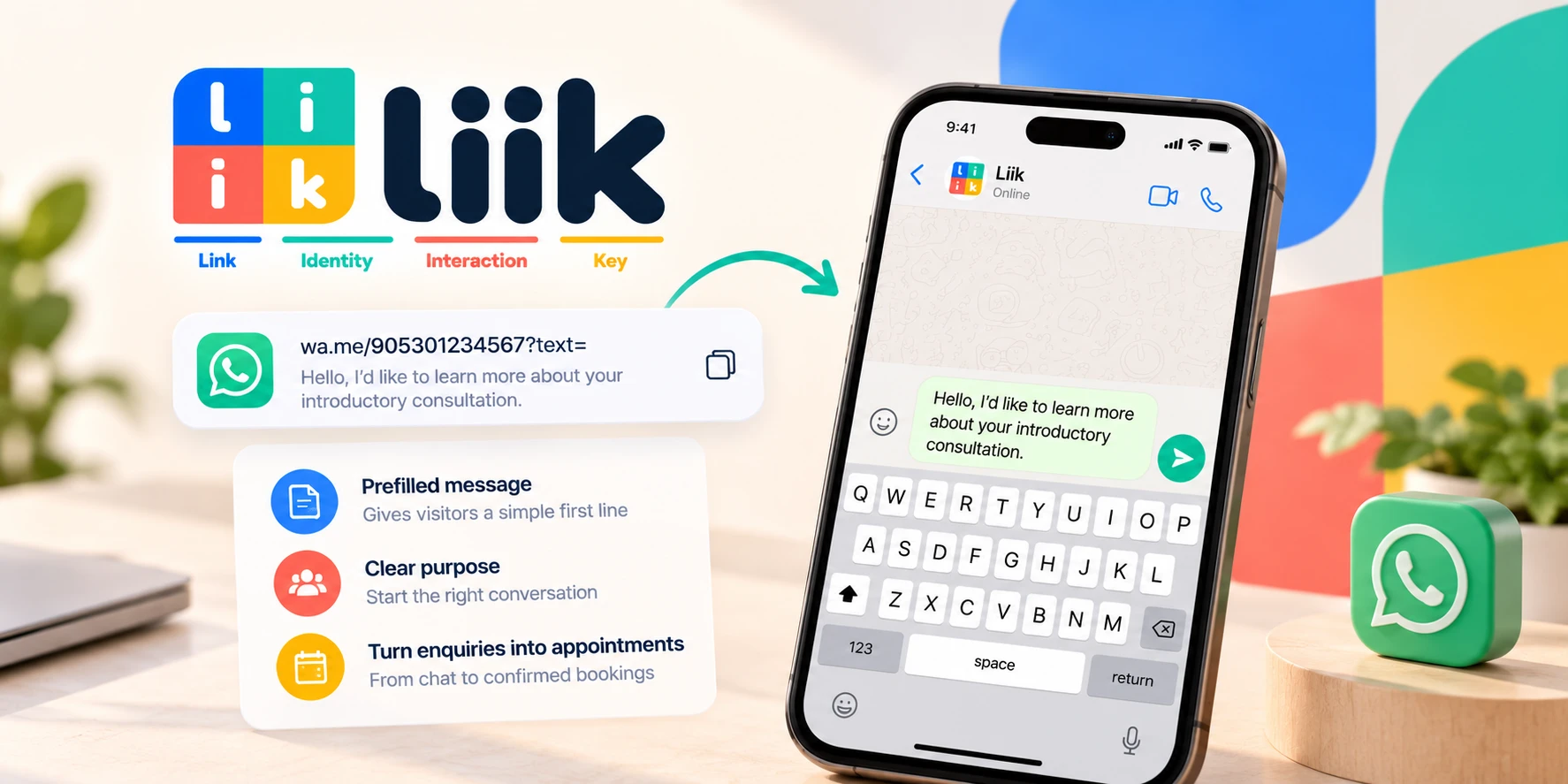
A WhatsApp link with a prefilled message gives a visitor a useful first line instead of an empty conversation. The text opens in the message field. The visitor can edit it and must choose to send it.
For a service business, this works best when the message starts a specific discussion. A request about availability still needs a reply and a confirmed appointment. This guide covers the link, the wording, and the work after the click.
Start with the conversation you need
Choose one purpose: asking about a service, checking an area, or discussing a project. A button labelled “Ask about a first appointment” creates a clearer expectation than “Click here”. Match the prepared text to that label.
Keep the first message short. “Hello, I would like to ask about your introductory consultation” gives you a recognisable starting point. You can ask about scope once the person sends it.
Avoid requesting a complete project brief in a public URL. Visitors may not know those answers yet. The opening should make the conversation easier without deciding the service for them.
If the service, duration, and availability are already clear, a booking link may be more useful. Use chat where a discussion genuinely helps. Give each destination an honest label rather than presenting a chat window as a confirmed booking.
Format your business number correctly
Use the full international number belonging to the account you operate. In the link, the number contains digits rather than a plus sign, spaces, brackets, or hyphens. The local dialling prefix may differ from the international format.
Do not remove every zero from a phone number. Convert the number properly; zeros inside the actual subscriber number remain. Confirm the international version with your own business contact details.
For a UK mobile number, the national leading zero is replaced by the country code 44. For a US number, include country code 1. These are formatting illustrations, not active contact numbers to copy.
Check that the destination is your active WhatsApp account. A technically valid URL aimed at a previous employee or an old SIM is still the wrong business link. Ownership should be checked before publishing or printing.
Build the link and encode the message
The pattern is https://wa.me/NUMBER?text=ENCODED_MESSAGE. Replace both capitalised placeholders. Do not publish the pattern itself as a working contact link.
For the message “Hello, I would like a consultation”, the encoded text can be Hello%2C%20I%20would%20like%20a%20consultation. Encoding protects spaces and punctuation when they travel inside a URL.
A message containing an ampersand needs special care. “Design & editing” must not become a separate URL parameter at the ampersand. Use a reliable URL encoder rather than replacing spaces alone.
WhatsApp’s click-to-chat guidance documents the address structure and prepared message field. This feature prepares text; it does not send it, reserve a time, or create an automated reply.
If you use a link generator, inspect its result. Some tools introduce their own redirect address. Decide whether you want that additional dependency and check what is stored before entering private business information.
Write useful opening messages
These original examples are templates. Change the service name and promise only a response process you actually provide.
- Consultation: “Hello, I would like to ask whether your introductory consultation suits my project.”
- Local service: “Hello, do you provide [service] in [general area]?”
- Portfolio enquiry: “Hello, I saw your [type of work] portfolio and would like to discuss a project.”
- Appointment question: “Hello, I have a question before choosing an appointment time.”
Use a real service name before making the link. Bracketed fields are editing reminders, not information the URL can automatically discover about a visitor.
Do not include health details, a home address, or a client’s name in public message parameters. A general request can begin the conversation. Collect necessary details later through an appropriate process.
Prefer a neutral opening over “I agree to all your terms”. Clicking a link does not demonstrate an informed agreement about information the visitor has not read.
Place the link where its purpose is clear
Add it to your professional profile or another destination you control. Put a short explanation beside it: what people can ask, when you usually reply, and whether an appointment is confirmed separately.
For Instagram, use the link controls available in your current account. Check the published profile rather than assuming every app version has identical menus. Then open the destination from the same route your visitor will use.
If your page includes both chat and booking, explain the difference. “Choose an appointment” and “Ask about project scope” help people select a route. Two identical “Book now” buttons leading to different processes create confusion.
Keep the same destination number across active pages unless you deliberately separate teams. Update old cards and saved replies when your business number changes. A correct new profile cannot repair a link on an old flyer.
Test the actual customer journey
Use a second device or a trusted tester. Open the published link, verify the recipient, and compare the prepared message with your original text. Check punctuation, accents, and any line breaks.
Test the in-app browser as well as an ordinary browser. If you use desktop, check the handoff to WhatsApp Web. A visitor may need to sign in or choose an application; your page should not promise an identical experience on every device.
Send a clearly labelled test message to your own business account. Confirm that a person responsible for enquiries can receive and answer it. Delete or label the test in your records so it does not become a real lead.
Also test a visitor who changes the prepared wording. Your process should work without relying on one exact sentence. Prepared text is a convenience, not a compulsory form submission.
Turn an enquiry into a recorded agreement
After a genuine message arrives, establish the service, format, and relevant date. Check actual availability before offering a time. Tell the person when you are proposing a slot and when you are confirming one.
Record accepted appointments in the schedule you use for delivery. A WhatsApp conversation alone does not stop a different channel from accepting the same time. Recheck when an earlier offer receives a late reply.
Use a concise confirmation with the agreed date, time, zone when relevant, and location or access instructions. Explain how changes should be requested. This makes the operational result clearer than an enthusiastic reply alone.
If you cannot answer promptly, state a realistic response window on your page. Do not advertise instant help merely because the link opens immediately. The link and your response capacity are separate parts of the service.
Review performance without inventing conversions
Track link clicks, received enquiries, and confirmed appointments as different events. A visitor can open the message field and leave. They can also change the text or contact you through another route.
Use broad source labels in your working records if they help. Avoid embedding a customer identifier or confidential information in a public link. Ask how someone found you when that is useful and appropriate.
Review the questions that follow the opening. Repeated confusion about prices or location may mean the profile needs clearer information. Improve that information before adding a longer automated-looking message.
Check the destination whenever you change numbers, services, or response hours. Keep a simple record of where the link appears so maintenance includes printed material and saved templates.
Liik supports professional profiles, bio links, and appointments. Explore profile examples, then give each contact button a clear purpose. Correct routing, useful wording, and reliable follow-through make the prepared message worthwhile.
Comments · 0
Start the conversation.
Leave a comment