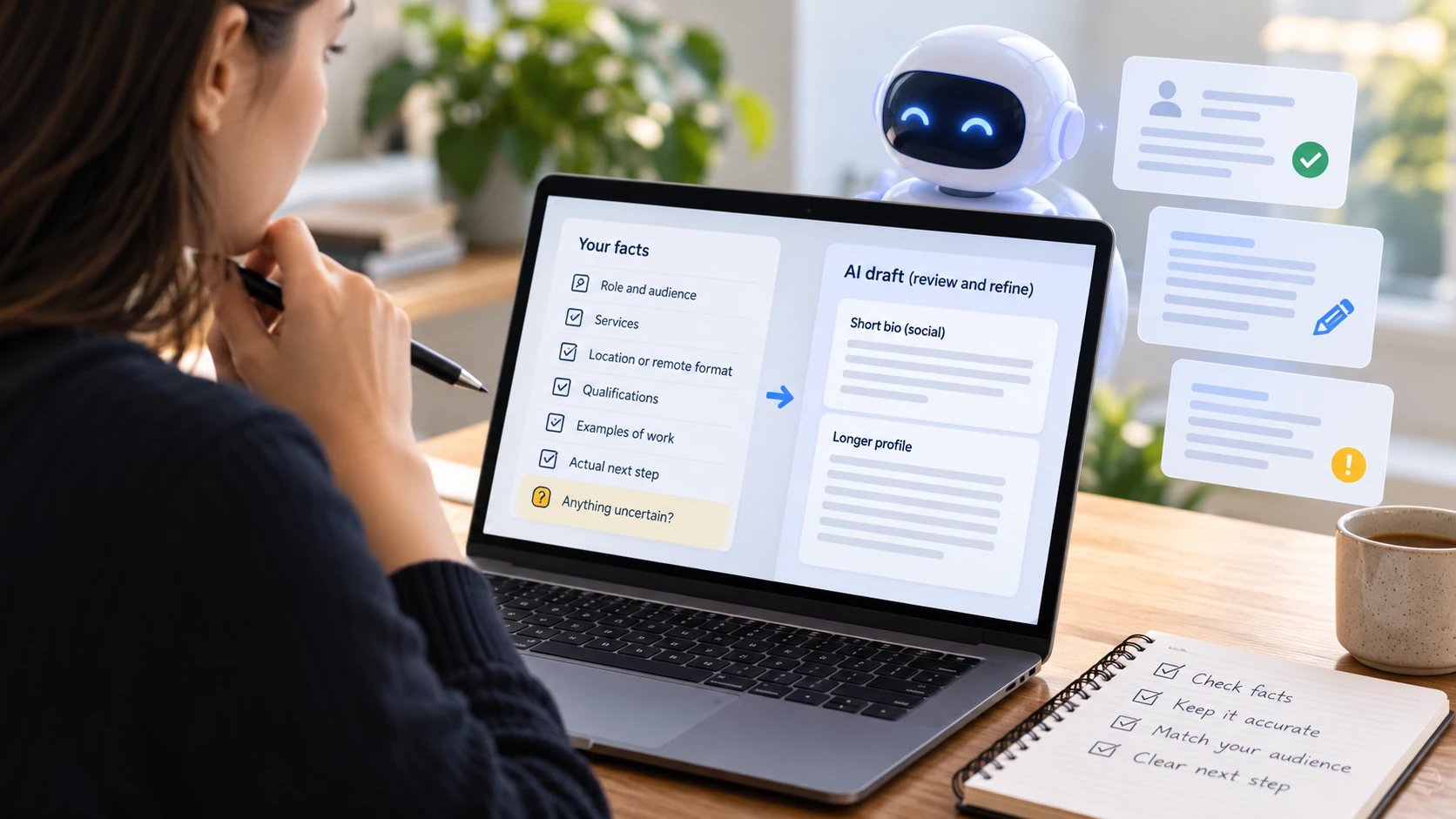
Writing a professional bio with AI is easier when you provide facts before asking for polished prose. Without that input, a fluent draft may invent experience, exaggerate expertise, or sound like anyone in your field.
Treat AI as an editor and drafting assistant. You remain responsible for the service description, qualifications, claims, and contact route. The workflow below turns a blank prompt into a profile you can check.
Build a factual input sheet
Write down your role, audience, services, location or remote format, relevant qualifications, and actual first step. Add two examples of work you can discuss publicly. Mark anything uncertain so it cannot accidentally become a claim.
Keep client names, private project details, and sensitive information out of a general drafting prompt. Use anonymised summaries where appropriate. You rarely need confidential material to explain what your business offers.
Use a constrained prompt
Try this adaptable prompt: “Write a first-person professional bio for [audience]. Use only the facts below. Do not invent credentials, client results, years of experience, or awards. Create a short social version and a longer profile version. End with [actual next step]. Flag missing information instead of guessing. Facts: [verified input].”
Ask for a concrete tone: calm, direct, and understandable to someone outside your profession. “Sound professional” is less useful than naming the reader and the decision the text should support.
Meta's guide to creating a bio with AI also frames the process as collaboration. The practical lesson is to refine the output rather than publishing a first draft without review.
Compare drafts against your real work
Read each sentence and identify its source in your input sheet. Remove unsupported adjectives such as “leading”, “award-winning”, and “trusted by thousands”. A phrase that sounds plausible is not evidence.
Illustrative weak draft: “A renowned consultant transforming businesses worldwide.” Revised structure: “I help independent service businesses organise their booking journey through profile reviews and practical page edits.” Use that wording only if it describes your actual service.
Replace abstract benefits with specific work. A photographer can explain portrait sessions and delivery format. A tutor can name subjects and teaching format. Do not let the model broaden your offer beyond what you can deliver.
Adapt for the destination and language
Use the shortest version for a social profile and a longer version for a professional page. Keep audience, location, and service facts consistent. The longer version can explain approach and relevant experience without repeating the same slogan.
For localisation, provide the target audience and region rather than asking for a literal translation. Review terms for qualifications, services, and appointment types. If you cannot assess a language confidently, arrange an appropriate editorial review before publication.
Make the action truthful
A useful closing tells visitors what to do next: view selected projects, enquire about scope, or book an initial conversation. Explain the first appointment on the destination page. Do not ask people to book a service you have not described.
AI should not fabricate testimonials or invent clients to make the page look established. NN/g's research on About Us information supports a clear explanation of what an organisation does. Apply clarity through factual detail rather than borrowed authority.
Publish after a final check
Read the draft aloud, verify names and qualifications, test the link, and check the phone layout. Ask someone to explain your service after reading it. If their answer differs from your offer, revise the text.
Liik offers an AI profile draft alongside a professional profile and bio links. Review the draft in your Liik profile before using it publicly. Verified inputs, explicit limits, sentence-level checks, and a relevant action make AI-assisted writing more dependable.
Comments · 0
Start the conversation.
Leave a comment